

All articles
Every article of the learning center on one page, grouped by module in the order you use them.
73 articles
Complete guide1 article
All articles in Complete guide
Getting started2 articles
All articles in Getting started 2:15
1Creating a new Mstnd account: from your email to setting up your organization
Create your Mstnd organization account: verify email and mobile, add company and sector details, pick a structure template, invite your team, then await review.
19 min read2:15 0:47
2Your first sign-in to Mstnd after your request is accepted: from the notification to getting to work
What happens after your Mstnd request is accepted: signing in and choosing your organization, the introductory tour, the «Get started» list and your free trial.
14 min read0:47
Sanad, the AI assistant1 article
All articles in Sanad, the AI assistant
Dashboard1 article
All articles in Dashboard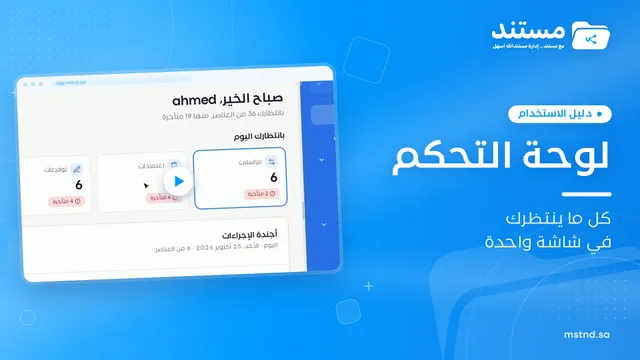
Users and roles7 articles
All articles in Users and roles 1:03
1Managing users in Mstnd: roles, status, positions and invitations
Learn the Mstnd Users page: search and filters, the user profile with effective permissions and positions, changing roles, deactivating, and inviting new staff.
15 min read1:03 0:47
2Invitations in Mstnd: track your team's invitations and send them in one go
Learn the Invitations tab in Mstnd: track each invitation's status, resend, copy the link or cancel, and invite several employees with one role and position.
13 min read0:47 0:36
3Roles in Mstnd: precise permissions for every job role
Learn about roles in Mstnd: core and custom roles, each role's permissions, and creating a role with precisely chosen permissions, then assigning it to users.
13 min read0:36 0:27
4Permissions in Mstnd: a complete reference for who sees and who edits
Learn the Permissions tab in Mstnd: every permission by category, with its name, code, description and the roles that include it, and how to search and filter.
11 min read0:27 0:29
5The organizational structure in Mstnd: your organization as it really is
Learn the organizational structure in Mstnd: an interactive chart to zoom and drag, show or hide member names, with color-coded sections, teams and leads.
12 min read0:29 1:06
6Sections and teams in Mstnd: organize your work teams clearly
Learn the Mstnd Sections and teams tab: general management and its managers, creating a section, adding its managers, then a team with its lead and members.
12 min read1:06 0:23
7The activity log in Mstnd: who did what, and when
The Mstnd activity log shows every operation in the system with who did it and when; search by keyword or user name and pick a date range to review events.
14 min read0:23
Folders and documents7 articles
All articles in Folders and documents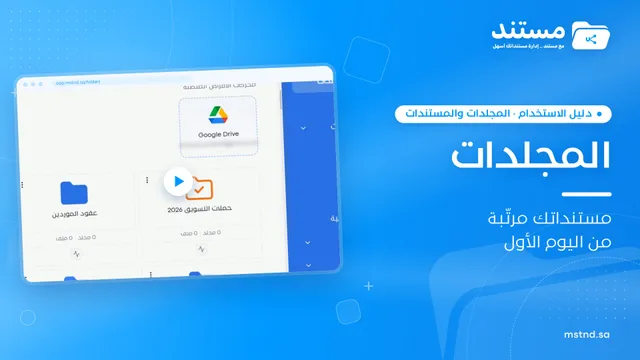 1:26
1Folders in Mstnd: organize your organization's documents from day one
Learn the Mstnd Folders page: Personal space, structure folders, Shared with me, new folders with a confidentiality level, color and icon, views and actions.
17 min read1:26 1:05
2Folder content in Mstnd: find your file and manage it in seconds
The Mstnd folder content screen explained: file cards and status changes, multi-select and bulk actions, the folder side panel, and AI chat about the files.
16 min read1:05 0:49
3Uploading files to Mstnd: drag and drop, and the system does the rest
Mstnd file upload: drag and drop several files at once, change the destination folder, set status, category and tags, automatic analysis and import from a link.
14 min read0:49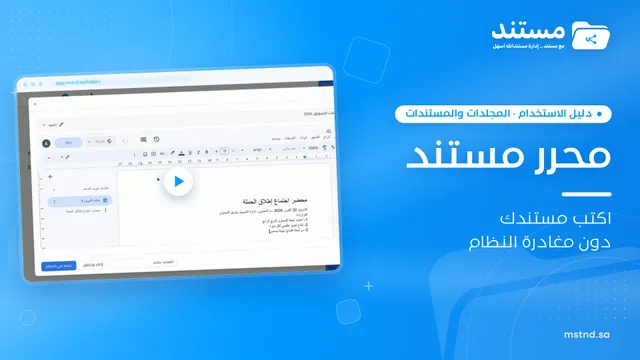 0:38
4The Mstnd editors: create your documents and spreadsheets inside the system
The Mstnd editors let you create text documents, spreadsheets, presentations and drawings inside the system, save them to the folder and keep editing anytime.
12 min read0:38 0:37
5Creating from a template in Mstnd: a ready document in one click
Creating from a template in Mstnd: a library sorted by department, search and filter by position, preview, fill it in the editor and save it as a new version.
14 min read0:37 1:02
6Scanning in Mstnd: turn paper into a digital PDF file
Scanning in Mstnd turns paper documents into a PDF with a phone or device camera: capture several pages, reorder them, retake what you need, save to the folder.
13 min read1:02 0:58
7Import and export in Mstnd: move entire folders in one compressed file
Learn import and export in Mstnd: import a whole ZIP file with its folder structure, or export a folder with versions, OCR text, tags, signatures and audit log.
15 min read0:58
Document page15 articles
All articles in Document page 0:51
1The document viewer in Mstnd: view any document without downloading it
Learn the Mstnd document viewer: view a file in the system without downloading it, zoom or go full screen, and use the actions bar and side panel in one place.
13 min read0:51 0:57
2Sharing a document internally and by public link in Mstnd
Learn document sharing in Mstnd: internally to people, units or positions with view, edit or delete permission, or by public link with password and expiry date.
17 min read0:57 0:49
3External sharing: send a document to an external party securely
Learn external sharing in Mstnd: send a document to an external party by private link via email or WhatsApp, with password, expiry date, permissions and Nafath.
16 min read0:49 0:47
4Reminders, tags and categories: organize your document and never miss a date
Learn how to set a document reminder in Mstnd with a date, time and advance alert, and add tags and categories from the action bar to ease search and filtering.
13 min read0:47 0:42
5Moving, archiving and renaming: organize your documents in seconds
Learn to rename a document in Mstnd, move it between folders and archive it without deleting it from the file's three-dot menu, and restore it from the Archive.
12 min read0:42 0:44
6Document details: everything about your document in one place
Learn the «Details» tab in Mstnd: expiry date, path, type, size, creator, confidentiality and status changes with a reason, reminder, tags and system number.
14 min read0:44 1:02
7Metadata: structured fields for every document, powered by AI
Learn the «Metadata» tab in Mstnd: create a field template with AI or link an existing one, auto-extract the values with a confidence level, then confirm them.
15 min read1:02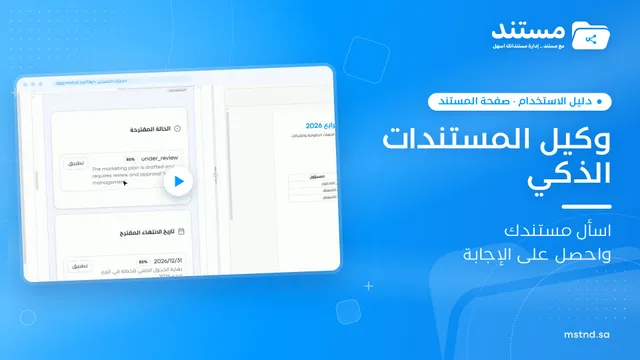 0:59
8The Mstnd smart document agent: understand your document before you read it
Mstnd's smart document agent analyzes each file: text, summary and entities, plus suggested status, categories, tags, tasks and access with a confidence score.
16 min read0:59 0:38
9Document translation in Mstnd: a translated copy with the same formatting
Mstnd translation makes a separate copy in the same format, detects the source language and applies the Saudi government glossary without changing the original.
12 min read0:38 0:38
10Versions and the operations log in Mstnd: a complete history for every document
Mstnd versions and the operations log: save edits as a new version and keep the old one, view, download or translate any copy, and track who did what and when.
13 min read0:38 0:20
11Document comments in Mstnd: discuss with your team in one place
Learn the «Comments» tab in Mstnd: write a note, mention a colleague with @ to notify them, and keep the discussion beside the document with your name and time.
13 min read0:20 0:32
12Sanad chat about the document: ask your document and get an answer
Learn the «Chat» tab on the Mstnd document page: ask the AI assistant Sanad about a specific document, get its summary and rate answers drawn from its text.
13 min read0:32 0:52
13Electronic signature in Mstnd: sign your documents without printing
Learn electronic signature in Mstnd: draw, type or upload your signature, place it on the page, save it as a new version and verify your identity via Nafath.
15 min read0:52 0:25
14Electronic stamp in Mstnd: stamp your documents with your organization's stamps
Learn electronic stamps in Mstnd: choose an approved organization stamp, place it on the page at the right size and apply it, authenticated via Nafath.
12 min read0:25 1:14
15Starting a workflow on a document in Mstnd: launch the approval from the document
Learn to start a workflow from a Mstnd document: pick a template, set priority and due date, assign steps and launch the transaction with the document attached.
17 min read1:14
Advanced search2 articles
All articles in Advanced search 1:16
1Text search in Mstnd: search inside the content of your files
Learn Mstnd text search: find a word, number or date inside file names, content and extracted values, with highlighted matches, filters and saved searches.
16 min read1:16 0:54
2The smart search agent in Mstnd: describe what you want and find it
Learn the Mstnd smart search agent: describe a document in your words to find it by meaning, with a match percentage and reason, or search AI-extracted values.
14 min read0:54
Tasks and workflows8 articles
All articles in Tasks and workflows 0:56
1The Tasks page in Mstnd: your tasks and your team's in one place
Mstnd's Tasks page lists your and your team's tasks with system number, operation, status, priority, assignees and due date, plus scopes, filters and a report.
14 min read0:56 1:03
2Creating a new task in Mstnd: assign the work and follow its progress
Learn to create a new task in Mstnd: title, description, dates, priority, operation type, files, routing, assignment and links, then create or save as a draft.
15 min read1:03 0:57
3Carrying out a task in Mstnd: from «Start» to «Complete task»
Learn the Mstnd task page: view its data and routing, start work, preview the operation file, approve or reject it with a note, then complete and log the task.
17 min read0:57 0:41
4Transactions in Mstnd: follow every workflow from one screen
Learn the Mstnd Transactions page: see every workflow with its number, status, priority and progress, use scope and filters, export it and start a new workflow.
13 min read0:41 0:48
5Transaction details in Mstnd: know where your transaction stands and who is handling it
Learn the Mstnd transaction details page: progress, current step, workflow steps, the path diagram and branches, comments, files and log, pausing or cancelling.
15 min read0:48 0:44
6Workflow templates in Mstnd: ready-made templates for your organization's procedures
Learn Mstnd workflow templates: recurring procedure templates with status, version, steps and transactions, search, filters, view, edit, copy, archive, create.
12 min read0:44 0:45
7Workflow template details in Mstnd: understand the path before you launch it
Learn the Mstnd workflow template details page: each step's operation, owner and deadline, positive and negative paths in the diagram, and starting a workflow.
13 min read0:45 1:18
8Building a workflow template in Mstnd: design your own approval path
Learn to build a workflow template in Mstnd: name, visibility, step operations, deadlines, instructions, routing and assignment, rejection paths and publishing.
20 min read1:18
Administrative correspondence3 articles
All articles in Administrative correspondence 0:50
1Administrative correspondence in Mstnd: outgoing and incoming in one organized register
Administrative correspondence in Mstnd: outgoing and incoming in one register, indicators, filters by direction, status and confidentiality, and reply threads.
13 min read0:50 1:34
2Creating new correspondence in Mstnd: from writing to stamping and sending
Create outgoing or incoming mail in Mstnd: recipient, follow-up owners, priority, confidentiality, reply date, attachments, digital sticker, send or register.
18 min read1:34 0:53
3Correspondence details in Mstnd: track a correspondence until it is closed
Learn the Mstnd correspondence details page: number, status, priority, reply deadline, activity log, follow-up owners, stamped attachments and threaded replies.
13 min read0:53
Calendar1 article
All articles in Calendar
Circulars3 articles
All articles in Circulars 0:32
1Circulars in Mstnd: get your decisions to everyone and track their response
Learn the Circulars page in Mstnd: every sent and received circular with its action type, status, priority and category, plus filters, search and new circulars.
13 min read0:32 0:57
2Creating a circular in Mstnd: circulate your decision and make sure it is read
Create a circular in Mstnd: title and subject, priority and category, action type, attachments and links, recipients, settings, then publish or save as a draft.
16 min read0:57 0:31
3Circular details in Mstnd: see who has read it and who has not
Learn the Mstnd circular details page: the total, read and acknowledged indicator, content and attachments, tracking each recipient, and one-click reminders.
13 min read0:31
External contacts2 articles
All articles in External contacts 0:56
1External contacts in Mstnd: your clients and suppliers in one directory
Learn Mstnd external contacts: a client and supplier directory with search and filters, and how to add a new contact with its basic, contact and business data.
13 min read0:56 0:41
2The contact profile in Mstnd: your dealings with an external party in one file
Learn the Mstnd external contact profile: contact and business information, key people and addresses, linked documents and folders, and editing or deleting.
13 min read0:41
Reports3 articles
All articles in Reports 0:43
1The report center in Mstnd: all your organization's reports in one place
The Mstnd report center groups document, correspondence, task, transaction, circular and user reports by section, with quick search and an analytics dashboard.
12 min read0:43 0:25
2The analytics dashboard in Mstnd: your organization's performance at a glance
The analytics dashboard in Mstnd shows the key charts from every report on one screen, grouped by users, documents, tasks, transactions and correspondence.
11 min read0:25 0:56
3The report page in Mstnd: filter, export and schedule your report
Learn the Mstnd report page: indicators and charts, filters, the data table, export to Excel, CSV and PDF, scheduling, and saving as a document in the system.
12 min read0:56
Archive2 articles
All articles in Archive 0:35
1The digital archive in Mstnd: keep finished work and restore it whenever you need it
Learn the digital archive in Mstnd: archived documents and folders, when and by whom they were archived, search, sort, restore with a reason or move to trash.
13 min read0:35 0:28
2The trash in Mstnd: restore what you deleted or delete it permanently
Learn the trash in Mstnd: everything deleted stays there with its deletion date and original folder, to be restored or deleted permanently, singly or in bulk.
11 min read0:28
Integrations1 article
All articles in Integrations
Settings14 articles
All articles in Settings 0:42
1API integration in Mstnd: connect your systems programmatically with secure keys
Learn the Mstnd API integration page: public and secret keys, base URL and docs, the «Integrations» folder, rate limit, IP restrictions and usage statistics.
12 min read0:42 0:21
2Organization settings in Mstnd: your organization's official data in one place
Learn Mstnd organization settings: name, type, commercial registration and tax number, how to edit and save them, and why the unique identifier is display-only.
10 min read0:21 0:25
3Date and time settings in Mstnd: Hijri, Gregorian or both
Learn Mstnd date and time settings: choose the 24-hour or 12-hour clock, enable Gregorian, Hijri or both dates, and format each one with an instant preview.
10 min read0:25 0:29
4Appearance and branding in Mstnd: the system in your organization's colors and logo
Learn the Mstnd appearance and branding settings: primary and secondary colors via code or suggestions, live preview, automatic text contrast and logo upload.
12 min read0:29 0:43
5Email identity in Mstnd: send system notifications in your organization's name
Set up Mstnd email identity so notifications use your organization's name and email: sender identity, SMTP, secure connection, test email, notification types.
13 min read0:43 0:31
6AI and document processing: automatic analysis and confidentiality classification
Set the smart document analysis mode in Mstnd (for all, for specific folders or manual) and AI confidentiality classification: off, suggest or automatic.
15 min read0:31 0:32
7Translation settings in Mstnd: a default language and an official terminology glossary
Set up translation in Mstnd: default target language, translation model, available languages, government glossary and auto-translation of incoming documents.
13 min read0:32 0:52
8Metadata templates in Mstnd: design the fields you need
Learn to create metadata templates in Mstnd: text, number, date and list fields, required fields, AI auto-fill and a library of reusable fields.
14 min read0:52 0:28
9Organization stamps in Mstnd: add your official stamps digitally
Learn the stamp settings in Mstnd: add an official stamp with its name, type, description and image, and activate or deactivate any stamp for staff to use.
12 min read0:28 0:57
10Important documents in Mstnd: track your commercial registration and licenses
Learn «Important documents» in Mstnd: upload a commercial registration or license, let AI suggest its data and set a Hijri or Gregorian expiry date for alerts.
13 min read0:57 0:55
11Document numbering in Mstnd: consistent automatic numbering for every folder
Set up automatic document numbering in Mstnd for each folder: prefix, suffix, year, month, separator, counter digits and starting number, with a live preview.
14 min read0:55 1:28
12The smart watermark in Mstnd: protect your documents with your brand identity
Design a smart watermark with your logo, user details and date, set when and where Mstnd adds it to documents and correspondence, plus a confidentiality mark.
17 min read1:28 1:28
13Auto-archiving and retention: the document lifecycle in Mstnd
Set a retention policy in Mstnd: archive, then trash, then permanent destruction, with advance alerts, folder rules, legal holds and approval before deletion.
17 min read1:28 0:57
14Nafath in Mstnd: sign-in and signing with a verified identity
Set up Nafath in Mstnd: sign-in verification, tracking the Nafath request balance, registering member ID numbers and choosing which actions require Nafath.
14 min read0:57